

Observability Best Practices
The following best practices are based on Spring AI 1.0.0 and Spring AI Alibaba 1.0.0.2 versions.
Observability Background
Software observability refers to the ability to infer a system’s internal state through its outputs (such as logs, metrics, traces, etc.). In Spring AI, observability functionality is integrated based on the Spring ecosystem. This includes ChatClient (including ChatModel, Advisor, ToolCall, etc.), EmbeddingModel, ImageModel, and VectorStore.
Spring AI Alibaba Observability
Tips: Some of Spring AI’s output content is large, and for data security, output logging is disabled by default and needs to be manually enabled.
Reference: https://docs.spring.io/spring-ai/reference/observability/index.html#_prompt_content
Creating a Spring AI Alibaba Project
All project code in this article is available at: https://github.com/springaialibaba/spring-ai-alibaba-examples/tree/main/spring-ai-alibaba-observability-example/observability-example
Adding Dependencies
The root pom of the project already includes spring-ai-alibaba-bom, which is not listed below.
- spring-ai-alibaba-starter-dashscope: dashscope starter
- spring-ai-alibaba-starter-tool-calling-weather: spring ai alibaba tool starter
- micrometer-tracing-bridge-brave zipkin-reporter-brave: observability dependencies
<dependencies>    <dependency>        <groupId>org.springframework.boot</groupId>        <artifactId>spring-boot-starter-web</artifactId>    </dependency>
    <dependency>        <groupId>org.springframework.boot</groupId>        <artifactId>spring-boot-starter-actuator</artifactId>    </dependency>
    <dependency>        <groupId>com.alibaba.cloud.ai</groupId>        <artifactId>spring-ai-alibaba-starter-dashscope</artifactId>    </dependency>
    <dependency>        <groupId>com.alibaba.cloud.ai</groupId>        <artifactId>spring-ai-alibaba-starter-tool-calling-weather</artifactId>    </dependency>
    <dependency>        <groupId>io.micrometer</groupId>        <artifactId>micrometer-tracing-bridge-brave</artifactId>        <version>1.5.0-M2</version>        <exclusions>            <exclusion>                <artifactId>slf4j-api</artifactId>                <groupId>org.slf4j</groupId>            </exclusion>        </exclusions>    </dependency>
    <dependency>        <groupId>io.zipkin.reporter2</groupId>        <artifactId>zipkin-reporter-brave</artifactId>        <version>3.4.3</version>    </dependency></dependencies>
application.yml Configuration
- Enable Spring AI’s observability functionality
- Enable Spring AI Alibaba weather tool functionality
spring:  application:    name: observability-models-dashscope
  ai:    dashscope:      api-key: ${AI_DASHSCOPE_API_KEY}      observations:        log-completion: true        log-prompt: true
    # spring ai alibaba weather tool calling config    alibaba:      toolcalling:        weather:          api-key: ${WEATHER_API_KEY}          enabled: true
    # Chat config items    chat:      client:        observations:          # default value is false.          log-prompt: true          log-completion: true          include-error-logging: true
  # tools config items  tools:    observability:      # default value is false.      include-content: true
    # Image observation is only support openai for spring ai.    # image:    #   observations:    #     log-prompt: true
  http:    client:      read-timeout: 60s
management:  endpoints:    web:      exposure:        include: "*"  endpoint:    health:      # Application health status check with detailed information      show-details: always  tracing:    sampling:      # Trace sampling information, recording each request      probability: 1.0
Controller
This section is the specific implementation of the AI service, using ChatClient as an example (Embedding and Image are similar):
@RestController@RequestMapping("/observability/chat")public class ChatModelController {
  private final ChatClient chatClient;
  public ChatModelController(ChatClient.Builder builder) {    this.chatClient = builder.build();  }
  @GetMapping  public Flux<String> chat(@RequestParam(defaultValue = "hi") String prompt) {
    return chatClient.prompt(prompt).stream().content();  }
}
Starting Dependencies
This demo imports data into Zipkin for display, so you need to start a Zipkin instance:
services: zipkin: image: 'openzipkin/zipkin:latest' ports: - '9411:9411'Observability Output
ChatClient
Metrics introduction: https://docs.spring.io/spring-ai/reference/observability/index.html#_chat_client
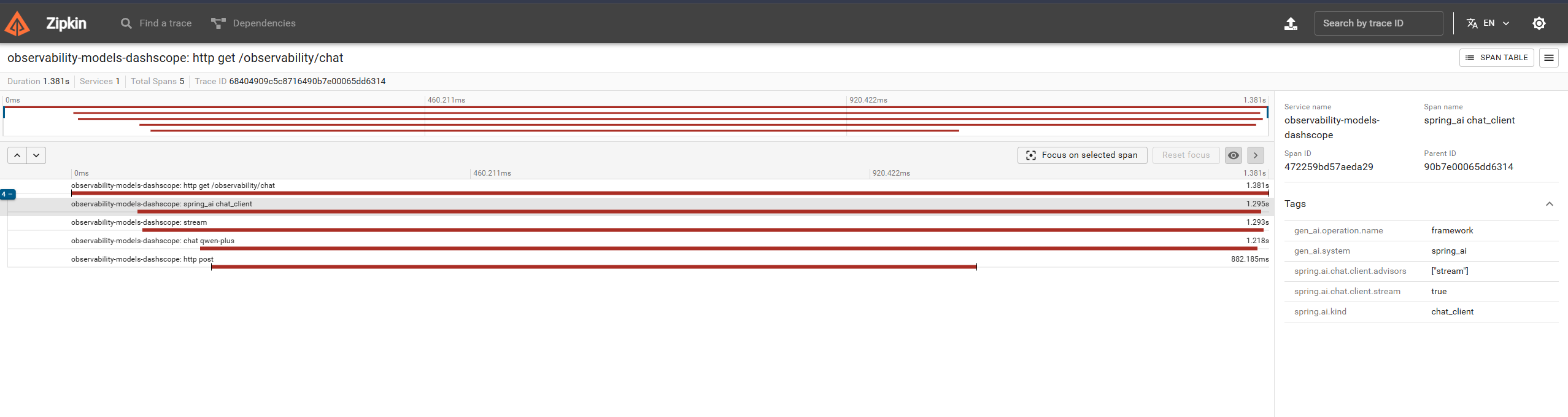
You can see chatClient-related information below:
ToolCalling
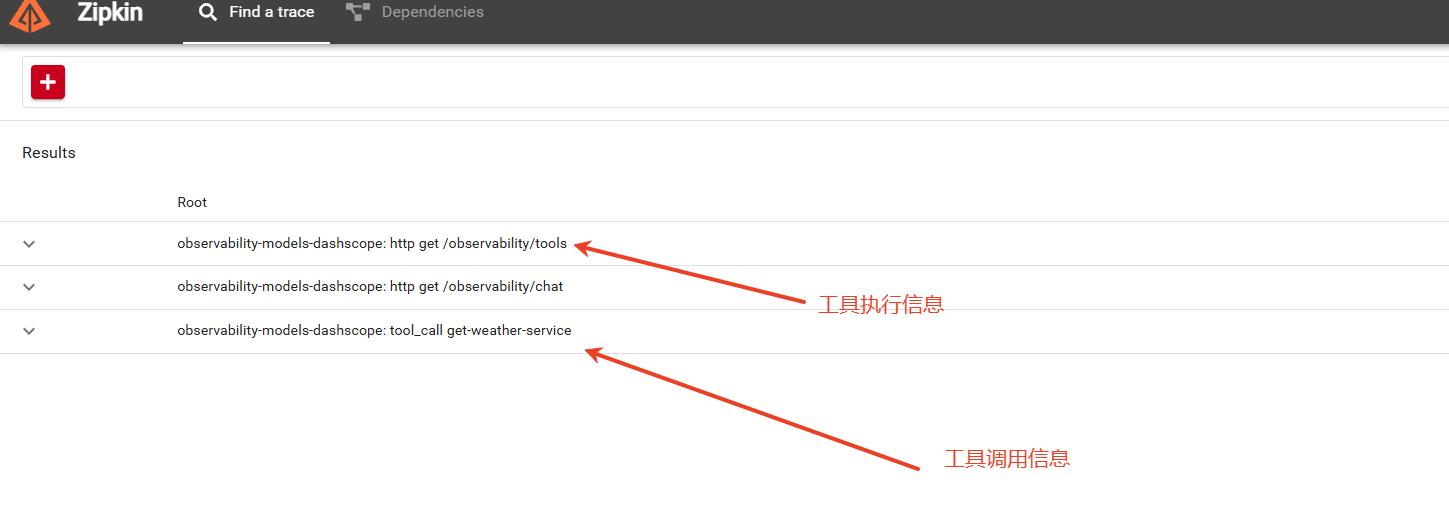
Metrics introduction: https://docs.spring.io/spring-ai/reference/observability/index.html#_tool_calling
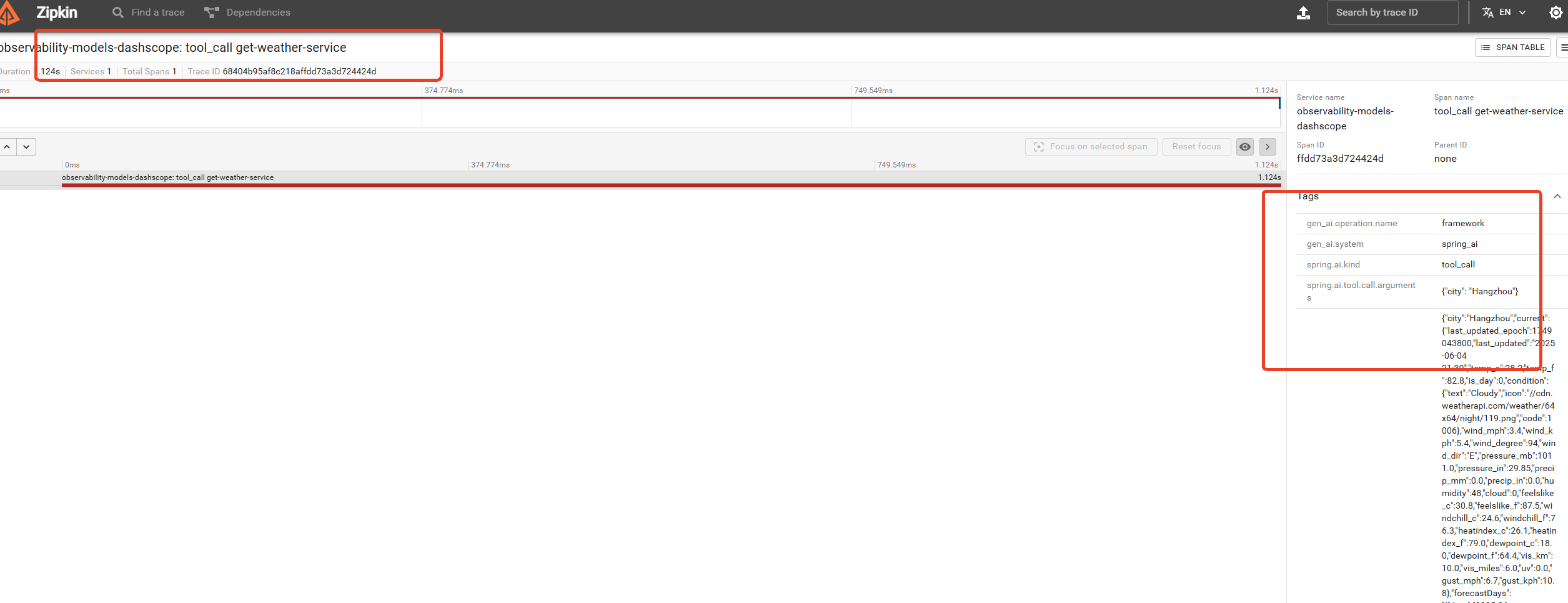
In the tools module below, you can see the input and output information of tools:
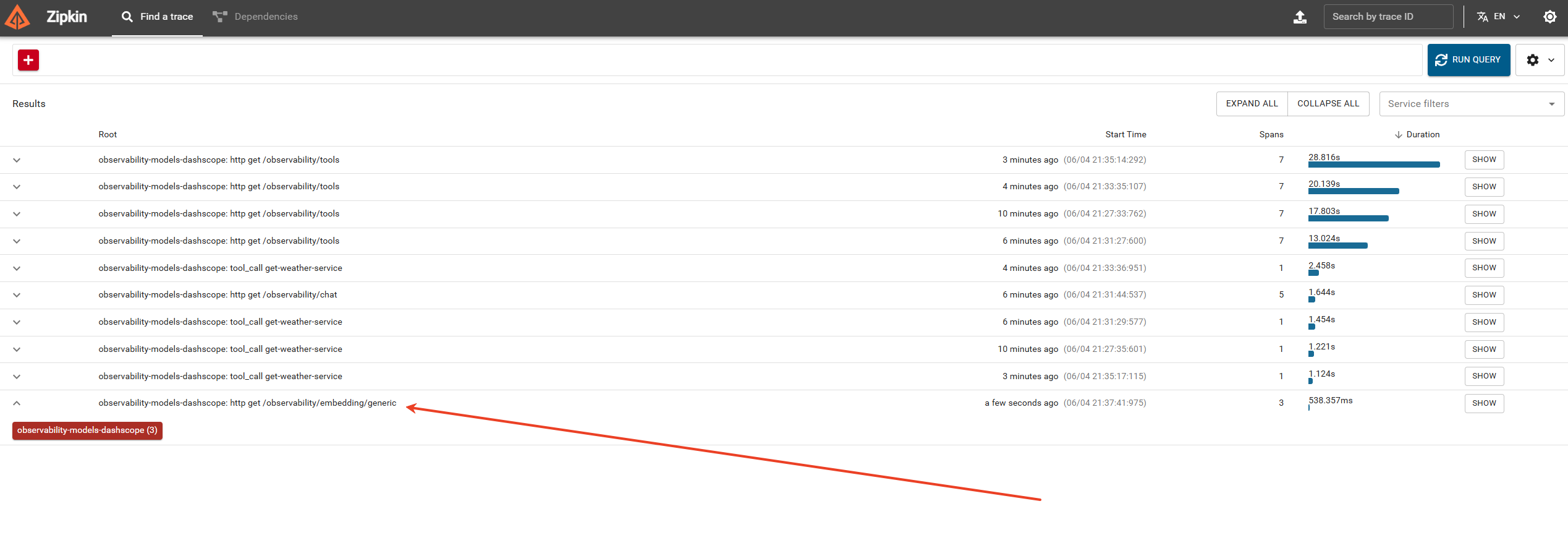
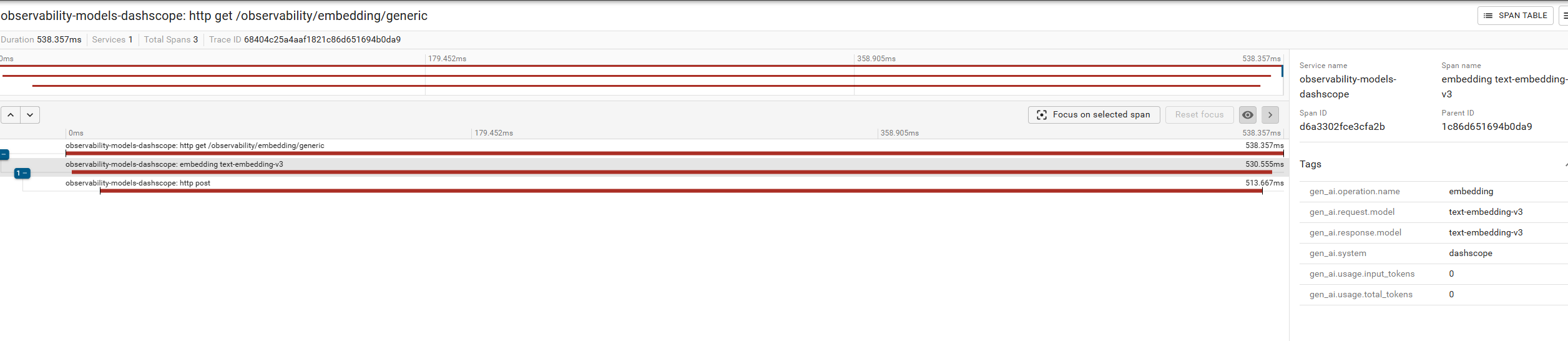
Embedding Client
Metrics reference: https://docs.spring.io/spring-ai/reference/observability/index.html#_embeddingmodel
Extending Spring AI Metrics
Spring AI provides an ObservationHandler<ChatModelObservationContext> mechanism to extend observability information. You can add or change observation data.
pom
In pom, you only need to include the corresponding starter.
<dependencies> <dependency> <groupId>com.alibaba.cloud.ai</groupId> <artifactId>spring-ai-alibaba-starter-dashscope</artifactId> </dependency></dependencies>application.yml
spring: application: name: observationhandler-exampleCustomerObservationHandler
Implementation extension:
public class CustomerObservationHandler implements ObservationHandler<ChatModelObservationContext> {
    @Override    public void onStart(ChatModelObservationContext context) {        System.out.println("exec CustomerObservationHandler onStart function! ChatModelObservationContext: " + context.toString() );    }
    @Override    public void onStop(ChatModelObservationContext context) {        System.out.println("exec CustomerObservationHandler onStop function! ChatModelObservationContext: " + context.toString() );    }
    @Override    public boolean supportsContext(Observation.Context context) {        return true;    }}
Chat Controller
@RestController@RequestMapping("/custom/observation/chat")public class ChatModelController {
    @GetMapping    public String chat(@RequestParam(defaultValue = "hi") String message) {
       ObservationRegistry registry = ObservationRegistry.create();       registry.observationConfig().observationHandler(new CustomerObservationHandler());
       // Need to set the API key in the environment variable "AI_DASHSCOPE_API_KEY"       // Spring Boot Autoconfiguration is injected use ChatClient.       return DashScopeChatModel.builder()             .dashScopeApi(DashScopeApi.builder().apiKey(System.getenv("AI_DASHSCOPE_API_KEY")).build())             .observationRegistry(registry)             .build()             .call(message);    }
}
When requesting the chat API, the code statements in the custom handler will be executed:
exec CustomerObservationHandler onStart function! ChatModelObservationContext: name='gen_ai.client.operation', contextualName='null', error='null', lowCardinalityKeyValues=[gen_ai.operation.name='chat', gen_ai.request.model='qwen-plus', gen_ai.response.model='none', gen_ai.system='dashscope'], highCardinalityKeyValues=[gen_ai.request.temperature='0.7'], map=[], parentObservation=null
exec CustomerObservationHandler onStop function! ChatModelObservationContext: name='gen_ai.client.operation', contextualName='chat qwen-plus', error='null', lowCardinalityKeyValues=[gen_ai.operation.name='chat', gen_ai.request.model='qwen-plus', gen_ai.response.model='none', gen_ai.system='dashscope'], highCardinalityKeyValues=[gen_ai.request.temperature='0.7', gen_ai.response.finish_reasons='["STOP"]', gen_ai.response.id='9582b50a-4056-9b7e-b2ca-e52368406b5e', gen_ai.usage.input_tokens='9', gen_ai.usage.output_tokens='7', gen_ai.usage.total_tokens='16'], map=[], parentObservation=null